
Permission Overview
Each company on Kefron should assign a user or group of users as company admin. These users will then be in control of managing all other company users.
Below is a high-level diagram illustrating various roles and access in Kefron.
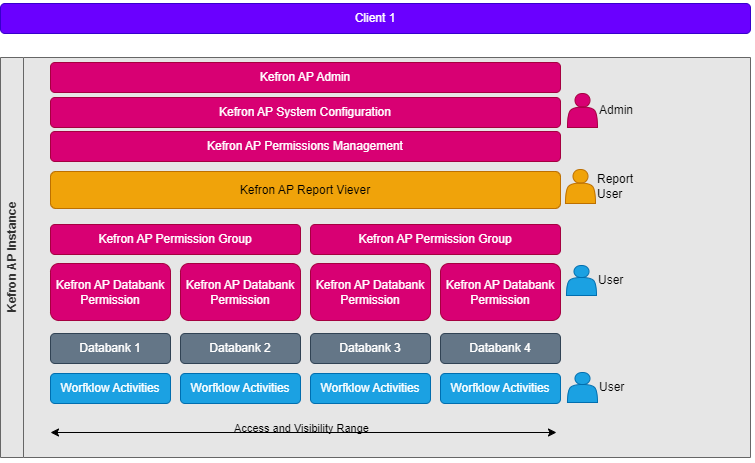
1. Admin
- Responsible for managing lookup data.
- Should manage company configuration through company settings.
- Manage user profiles through company users and permissions.
2. Report User
- Will have access to run all reports within Kefron and report history.
3. User
- A general user of the system, e.g., AP user, Approver, PO creator.
4. Permission Group
- Can be set up to control a group of users’ permissions.
5. Databank
- Also referred to as document type/entity.
6. Workflow actvities
- These are the various queues/statuses within Kefron, different users may have access to different workflows depending on their assigned roles/permissions.