
New user
In this screen, you can add new users to the system. Please populate all the required fields. Select ‘generate a random password, a welcome email is sent to the newly created user, who will then be able to set up their password once the account is created.
Once the new user is created you will be redirected to the user’s edit profile screen where you can configure additional permissions.
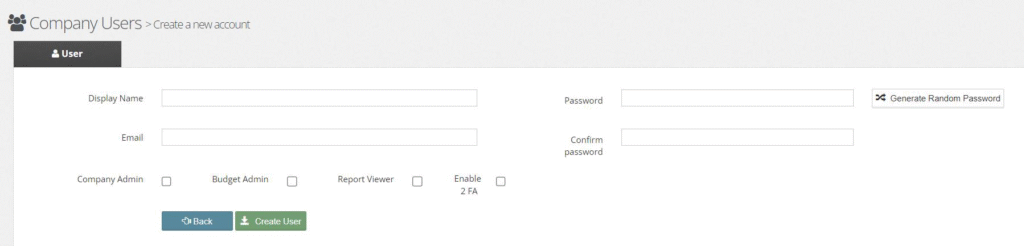
The user roles can be added in this or the next step. The roles provide additional system functionality to the user:
- Company Administrator: Access to company configuration screens such as users and lookup data management, as well as general settings.
- Report Viewer: Access to Reports.
- Budget Admin: Access to Budget management.
Enable 2FA: Factor Authentication (Email only)
- The welcome email is shown in the image below. If you can’t find the email in your inbox, please make sure you check your spam folder. Please follow the instructions within the email to set up your password.
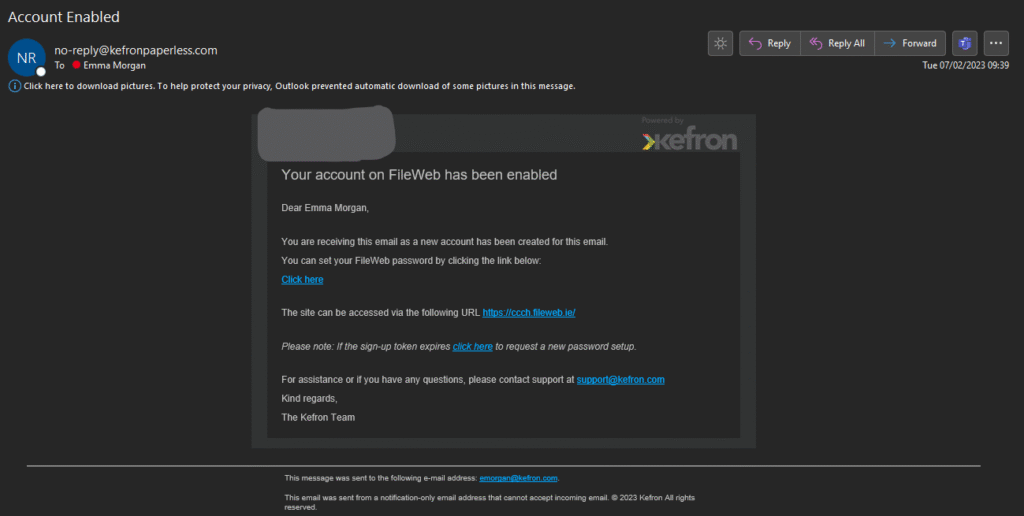
If you already have an account, a reset password email will be sent to you. Please follow the link in the email and choose the new password.