
SSR – Document Successfully Processed
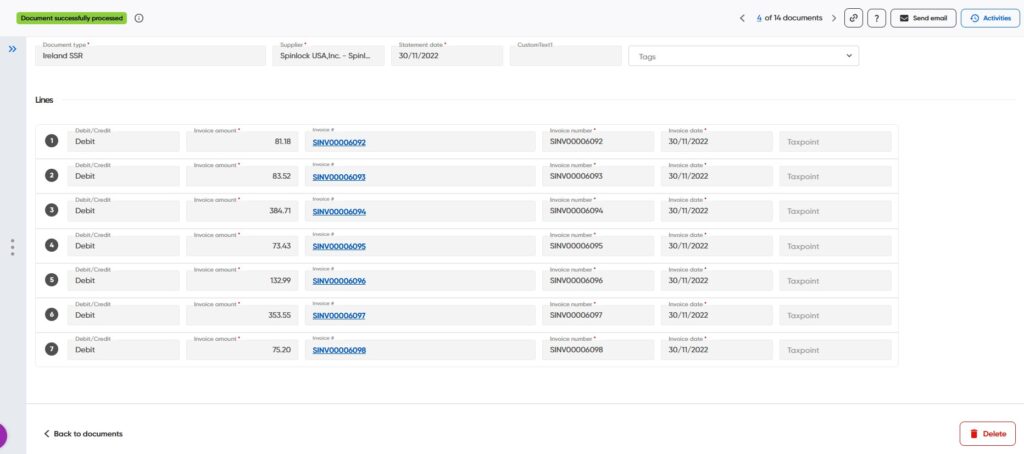
Once a Supplier Statement has been fully reconciled, either through automatic matching or manual reconciliation, the document moves to the Successfully Processed status. At this stage, no further reconciliation actions are required.
What can I see in the Successfully Processed status?
The Successfully Processed view provides a complete audit trail of the reconciliation results, allowing users to review how the statement was matched.
The screen displays:
- All statement lines extracted from the supplier statement.
- The invoice(s) and credit note(s) matched against each statement line. Links to related documents for easy access and review.
Why is this useful?
The Successfully Processed status provides a clear record of the completed reconciliation and helps users:
- Review reconciliation results at any time.
- Understand which invoices and credits were used to reconcile the statement.
- Support supplier queries and audits.
- Maintain a complete history of the reconciliation process.
Note: A statement only reaches the Successfully Processed status when all required reconciliation validations have passed and all statement lines have been successfully matched.